Organisation pour le Développement de l’Éducation, des Ressources et des Savoirs AccessiblesNonprofit association · Paris

← Our programmes

The Click Programme

Do the task, don’t listen to it explained

handling everyday digital tasks without fear of a wrong move

This programme holds what the association publishes about digital independence. Its rule is simple: confidence does not come from hearing an explanation, it comes from doing the thing. So the screens are simulated, a mistake costs nothing, and you start again as often as you need. Writing a message, booking an appointment, spotting a trap, choosing what you share: everyday life, with a hand on the mouse, and nobody sighing over your shoulder.

The fear of getting it wrong costs more than the mistake itself: it stops people trying at all.

That is the real obstacle, and it has nothing to do with technical skill. On a real site, a wrong move commits a payment, sends a message to the wrong person, or deletes what you meant to keep. So you don’t try, you ask someone else, and the task never becomes your own.

A practice ground removes that obstacle in one stroke. When nothing is real, getting it wrong becomes the normal way of learning: you do it again, you see where it went sideways, and eventually the task holds on its own.

Why this field matters

Everyday business moved online; learning it did not

Booking a medical appointment, tracking a parcel, finding a certificate again, unsubscribing from a mailing list: these things now happen on a screen, and for a great many adults nobody ever took the time to show them how. The help available is usually a set of instructions written for someone who already knows, or a relative who does it for them, which solves today’s problem and none of the ones after it.

What is missing is not knowledge. It is practice: recognizing that a button is a button, understanding that an address can look like another one down to a single letter, knowing that an urgent-sounding message is precisely the signal to slow down. Those bearings are picked up by doing, in a place where getting it wrong is allowed.

And digital independence is not a comfort. It decides access to rights, to care, to work. Free educational work on this ground is worth more than a speech about the digital divide, and it is measured by what a person can do unaided when they leave.

The pattern

A task is always worked through the same way

The situation

One sentence of real life opens the scene: what you want to get done, and why now. No engineer’s vocabulary anywhere.

The steps

The task breaks into short steps. At each click the answer comes at once: that is the right place, or here is why this one is not.

The way out

A mode that walks through the answer exists so nobody stays stuck. You watch it, you close it, and you do it yourself.

The habit

Two check questions, then the sentence worth keeping: the one that will work on another site, in another context, without going back over the lesson.

What is online

What is online

The programme holds one resource online. Here is its full sheet: the families of tasks, what happens on screen, and what you can do unaided afterwards.

Clic par clic

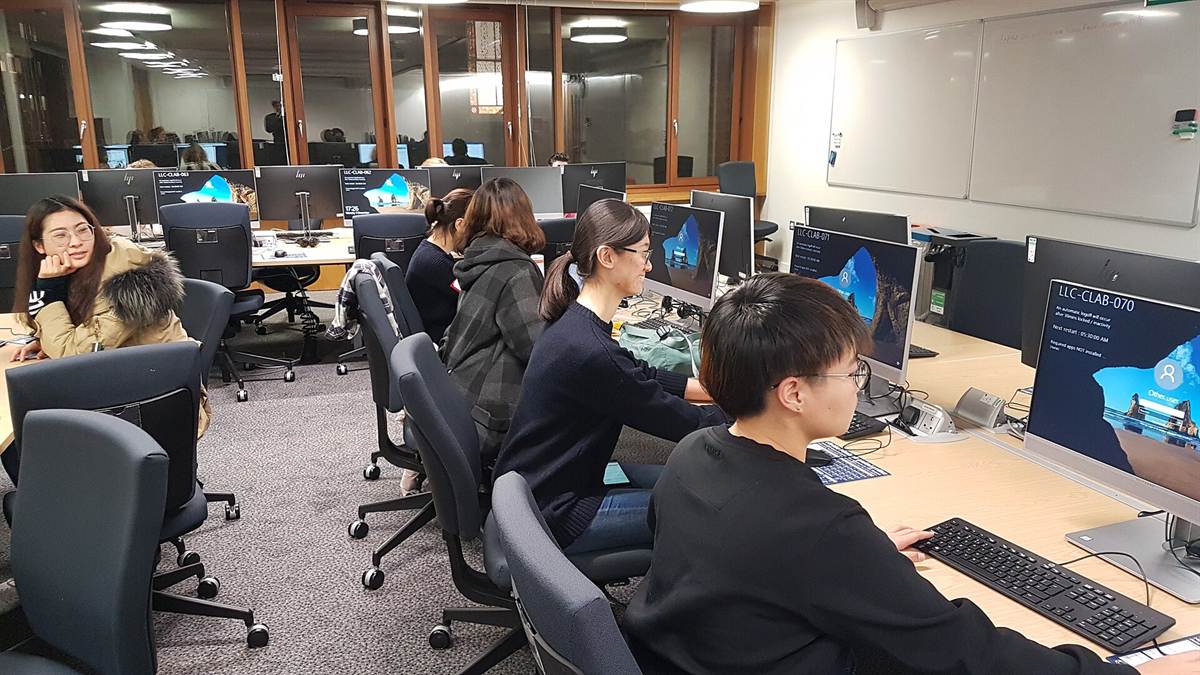
Students working side by side in a university computer room

Practice the digital tasks of everyday life on simulated screens, one click at a time.

Clic par clic (French for “Click by click”) holds 40 tasks to carry out yourself, sorted into 5 families: writing and communicating, staying safe, dealing with paperwork, everyday life online, and controlling what you leave behind. Sending a message, spotting a scam text message, booking an appointment online, refusing cookies, closing an old account: the screen is simulated, a mistake costs nothing, and you start over until the task feels easy.

The pattern never changes from one task to the next: short steps (211 in all), immediate feedback at each click, a “show me” mode that walks through the answer, then the check questions (80 in all) and the habit to remember, taken from the 8 cross-cutting habits of the site. No screen copies a real brand, the written walkthrough stays readable without JavaScript, and every task prints as a paper sheet.

40simulated tasks
5families of tasks
8cross-cutting habits
392pages online
  • Free, no account, no ads
  • In 7 languages, on a phone as well as a computer
  • Simulated screens: no real brand, no risk in getting it wrong
  • A printable step-by-step sheet for every task
  • Data downloadable as JSON, under a CC BY 4.0 license

The resource, in counted figures

The resource, in counted figures

40tasks to carry out yourself
211exercise steps
80check questions
7complete languages

Figures recounted at every release from the resource’s public data: see the method

Two uses

The person learning, and the person helping

Learning on your own

No account, nothing to know first, no time limit. You pick a task you actually need today, you redo it until it feels obvious, and you stop whenever you like.

  • On a phone as well as a computer
  • The written walkthrough stays readable without JavaScript
  • Every task prints as a paper sheet

Helping someone else

A helper, at home or in an organization, needs material that leaves the mouse in the other person’s hand. That is exactly what a simulated screen does: the helper watches instead of taking over.

  • No risk at all: no real account, no payment, no data
  • No real brand reproduced on any screen
  • Reusable in a workshop under a CC BY 4.0 license

The shape

What this programme publishes, and how

The field changes from one programme to the next; the shape does not. These three rules hold for everything the association puts online, and they can be checked against what is already published.

Free, with no barrier

No account, no payment, no ads, no members-only content. One address is enough to start.

No collection

No cookie, no tracker, no request to a third-party server. Progress stays in the person’s own browser and never leaves it.

Reusable and recountable

Content under CC BY 4.0, open data as JSON: a workshop can take all of it, and anyone can recount the figures stated.

Keep going

The catalogue shows the 7 programmes side by side, and what sits on each one. This programme’s resource opens straight away, with nothing to install.

Keyboard shortcuts

TabMove from link to link
EnterOpen the link, or expand and collapse a question
?Open this help
EscClose the panel or this help